Data and AI processing
Name the source categories, sensitive fields, permitted processing and retention. Include derived outputs and model-provider context.

Enterprise evaluation
Start with the product decision or operational change you want to support. Then examine the evidence, controls and delivery responsibilities that would make a useful first project possible.

01 / Establish the fit
Product teams can start with strategy, customer requests, priorities and releases, without a process assessment or connected repository. Operations and consulting teams can connect documents, spreadsheets and observed workflows to reviewed decisions.

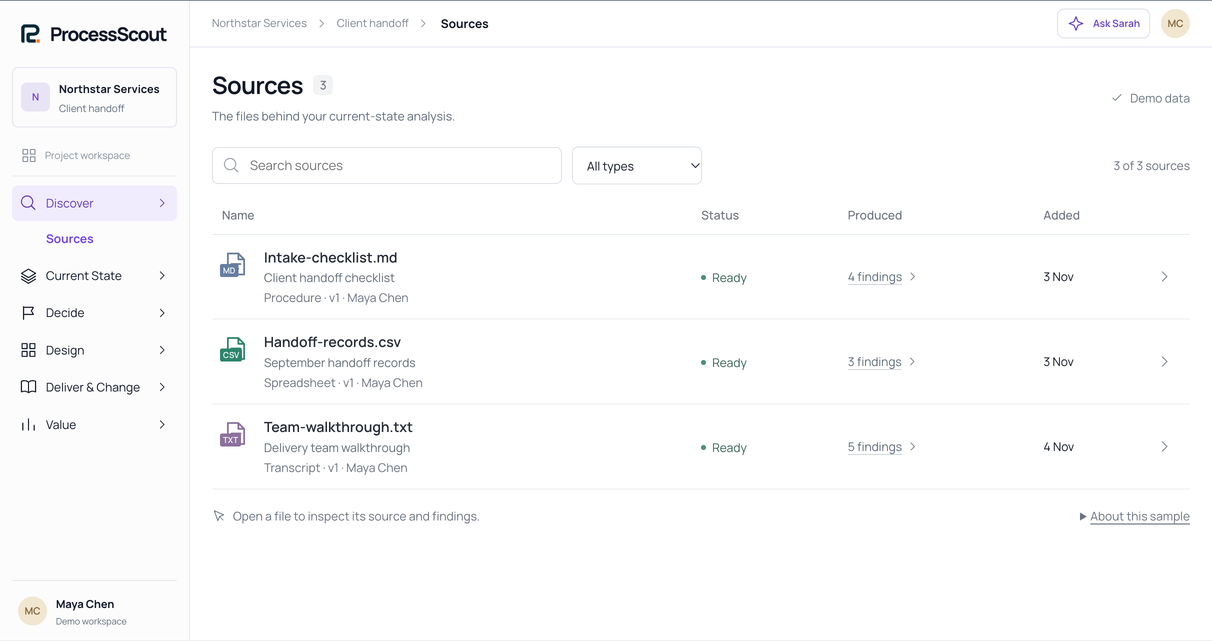
Inspect saved values, formulas, lineage and business rules.

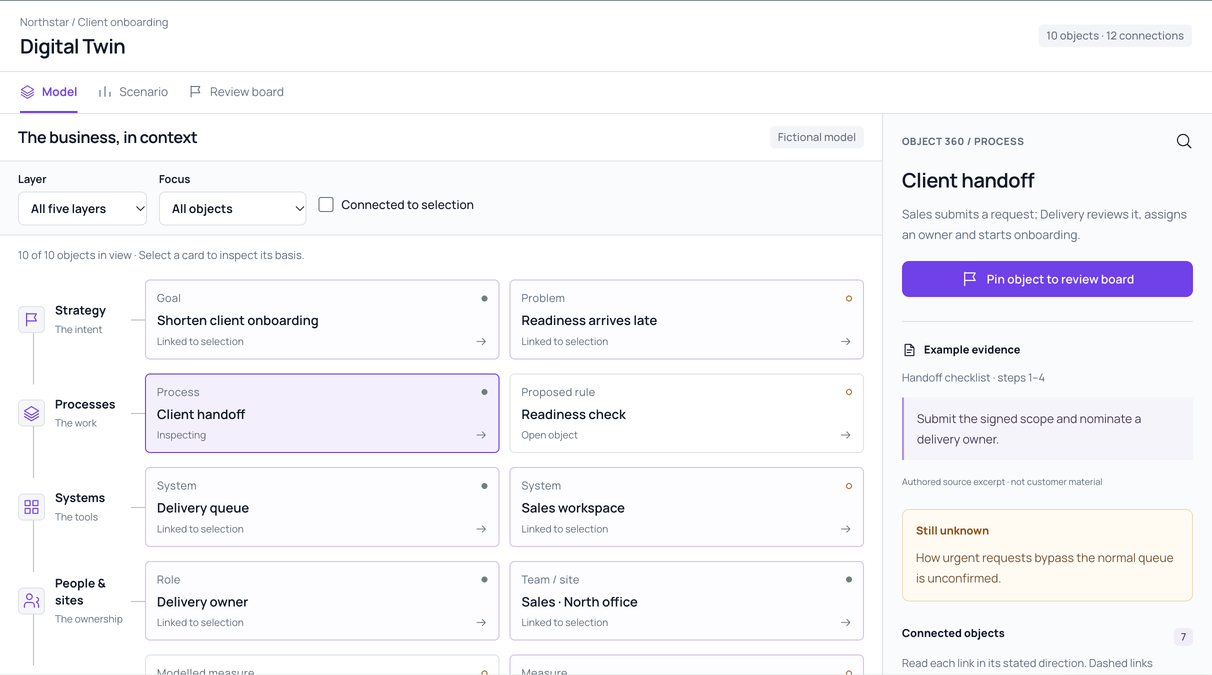
Connect processes to strategy, systems, people and value.

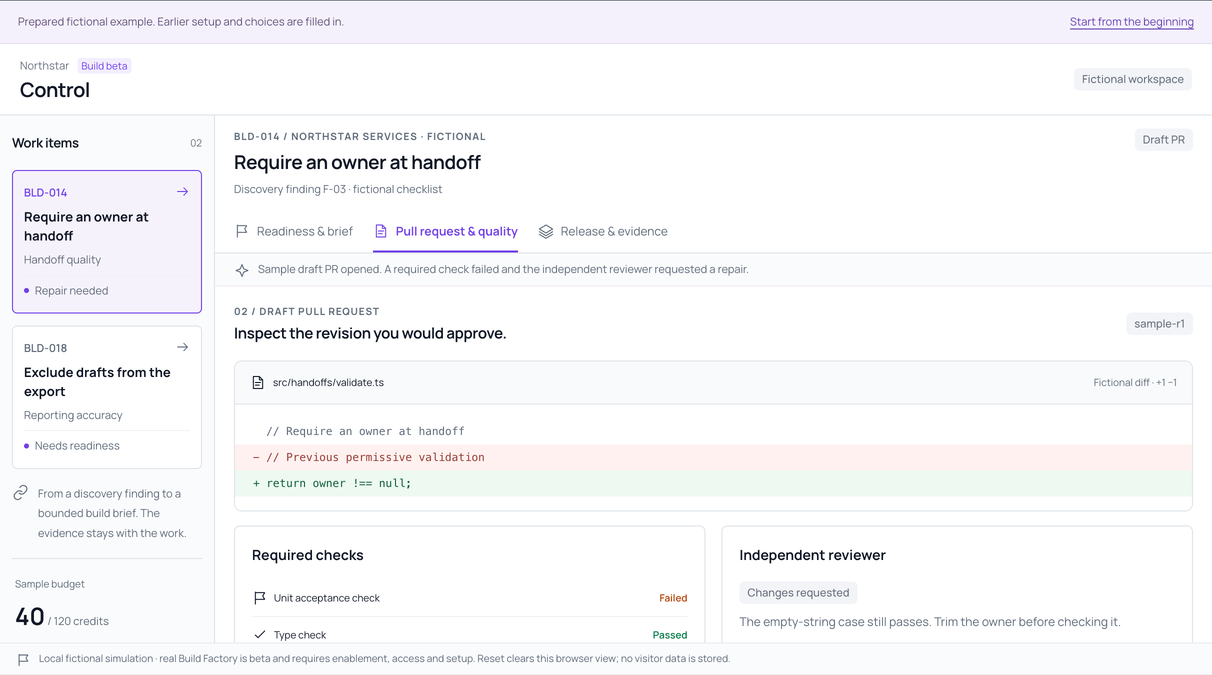
Review the checks on an automation built ready for your team to deploy. Build Factory is beta.
Real product screens · fictional data
02 / Understand the boundary
Use this conceptual view to frame an architecture discussion. The actual connections, processing arrangements and permissions depend on your configuration.
Your organization
ProcessScout workspace
People review and approve at each step. Access follows organization, project and role.
Read current service facts ↗Your delivery environment
03 / Review the facts
A specific requirement is easier to evaluate than a broad assurance. Record what matters, what evidence would satisfy it and who can decide.
Name the source categories, sensitive fields, permitted processing and retention. Include derived outputs and model-provider context.
List the participants and the actions each needs. Check membership, project access and who sees shared artifacts.
Name the system, record types, direction and acceptance test. A supported connection does not imply managed execution there.
Agree who approves a change, where it is tested, who accepts it and who maintains it afterward.
04 / Take the next conversation further
Share the evaluation questions, evidence inventory, responsibilities and acceptance criteria before a walkthrough.

Start the evaluation
Send the workflow, data constraint or delivery route that matters most. We’ll walk through it in the product with you and say plainly where ProcessScout doesn’t fit yet.
Allow optional analytics to help us improve ProcessScout? Privacy notice