Skip to content

THE TRAIL MAP / FICTIONAL SAMPLE

Order to cash.
The work, made clear.

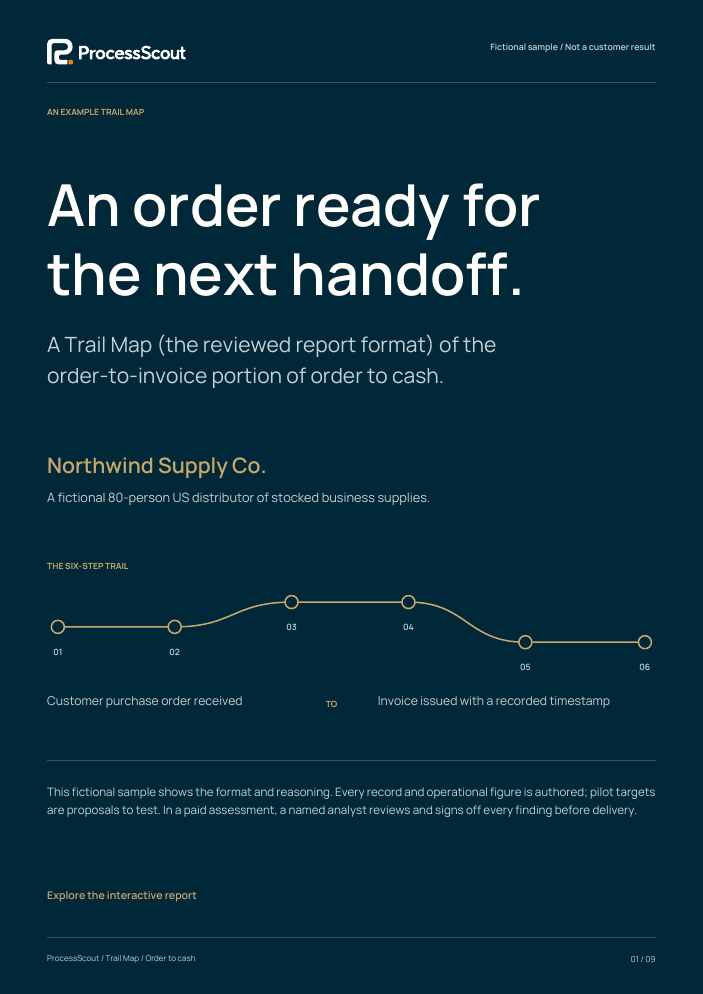
A Trail Map (the reviewed report format) of the order-to-invoice portion of order to cash.

Northwind Supply Co.A fictional 80-person US distributor of stocked business supplies.
Cover of the Northwind Supply Co. fictional Trail Map

This fictional sample shows the format and reasoning. Every record and operational figure is authored; pilot targets are proposals to test. In a paid assessment, a named analyst reviews and signs off every finding before delivery.

01 / THE DECISION

Make the first move deliberate.

The example order crosses familiar tools, but completeness and ownership are decided again at each handoff. Start by making the intake complete and the invoice-ready queue owned. Then test whether approved order information can safely populate a draft invoice.

RECOMMENDED FIRST MOVE

Authorize a bounded pilot of intake completeness and invoice-ready ownership. Keep credit release and invoice issuance under the existing human approvals.

  1. 5 sourcesE01 · E02 · E03 · E04 · E05
  2. Start hereEffort: Low
  3. Pilot the handoffEffort: Low
  4. Prove feasibility firstEffort: Medium
  5. Decision gateEvery phase ends with one
Illustration · how this fictional report reasons, from evidence to a decision
Scope, cohort and review boundary +

Four example working weeks; 100 completed orders. Open, canceled and returned orders are excluded. An eight-hour business day is used to construct elapsed durations.

Inside this example

  • One fictional legal entity and distribution unit.
  • Standard stocked B2B orders, from receipt to invoice issuance.
  • Completeness, credit release, dispatch matching and invoice preparation.

Outside this example

  • Cash receipt, collection, returns and bad debt.
  • Non-stock orders, purchasing, demand planning and tax-policy advice.

02 / THE CONNECTED WORKFLOW

From the current trail to a proposed design.

In ProcessScout, the map is drafted from the sources and every step cites where it came from.

ProcessScout / TransformReal product · fictional data
The process step of the ProcessScout demo, with fictional data
Demo workspace for Northstar Services, a different fictional company. Open in the demo ↗
AS-IS / THE WORK TODAYTO-BE / A DESIGN TO VALIDATE
  1. S01Receive orderCustomer service+

    Read the purchase order and record arrival. Required fields have no consistent gate.

    System: Shared mailboxE01 ↗E05 ↗
    T01Check completenessCustomer service+

    Use one ready / waiting / approved-exception decision; retain the customer request.

    System: Intake checklistE02 ↗E05 ↗
  2. S02Validate and enterCustomer service+

    Enter the order and chase missing account, ship-to, item, quantity or price details.

    System: ERP + price sheetE01 ↗E02 ↗E03 ↗
    T02Resolve and enterCustomer service+

    Assign incomplete requests and carry the approved values into the order.

    System: ERP order recordE02 ↗E03 ↗
  3. S03Approve releaseCredit controller+

    Apply existing credit policy and retain the release or hold decision.

    System: ERP credit queueE01 ↗E05 ↗
    T03Keep credit controlCredit controller+

    Preserve approval authority, holds and the audit trail.

    System: ERP credit queueE05 ↗
  4. S04Pick and dispatchWarehouse team+

    Pick stocked items and record the shipment reference.

    System: Warehouse systemE01 ↗E05 ↗
    T04Confirm dispatchWarehouse team+

    Attach a unique shipment reference and flag partial shipments explicitly.

    System: Warehouse systemE04 ↗E05 ↗
  5. S05Match dispatchAccounts receivable+

    Reconcile order and shipment. An unmatched item may lack a named resolver.

    System: Dispatch sheet + ERPE01 ↗E04 ↗
    T05Own invoice readinessAccounts receivable+

    Record status, reason, resolver and next review time for every unmatched item.

    System: Owned exception queueE04 ↗
  6. S06Prepare and issueAccounts receivable+

    Enter repeated fields, check the invoice and approve issuance.

    System: ERP invoice screenE01 ↗E03 ↗
    T06Review a draftInvoice reviewer+

    Reconcile a draft with the approved order and dispatch before a person issues it.

    System: Supported draft mappingE03 ↗E05 ↗

Select any step to inspect the owner, system, evidence and proposed response. The target is a design hypothesis, not an implemented process.

03 / THE BASELINE

A number is only useful with its definition.

M01 / business hours / order16.4

Mean order-to-invoice time

Definition and calculation

Elapsed business-clock time from receipt to issuance, including work and waiting.

1,640 business hours / 100 completed orders = 16.4 hours.E01 ↗Elapsed time is not labor time; completed orders do not describe backlog.
M02 / of example orders25%

Clarification needed

Definition and calculation

Orders with at least one missing required intake field; counted once per order.

25 affected orders / 100 orders = 25%.E02 ↗This is an intake-completeness measure, not a total business error rate.
M03 / manual touches / order6.5

Hands-on interventions

Definition and calculation

Six planned interventions plus two extra touches for each clarification loop.

(100 x 6 + 25 x 2) / 100 = 6.5 touches.E01 ↗A touch is an intervention, not a person, a role handoff or a timed task.
M04 / minutes / walkthrough12

Order and invoice entry

Definition and calculation

Mean entry time in five authored walkthroughs: eight minutes at order entry and four at invoice entry.

(12 + 12 + 12 + 12 + 12) / 5 = 12 minutes.E03 ↗A small illustrative timing set; approval time is separate and unchanged.

04 / THREE OPPORTUNITIES

A sequenced set of decisions.

Options sit side by side with their costs, benefits and assumptions, so the choice can be challenged.

ProcessScout / TransformReal product · fictional data
The options step of the ProcessScout demo, with fictional data
Demo workspace for Northstar Services, a different fictional company. Open in the demo ↗
01

01 / Start here · Effort: Low; checklist and pilot setup

Make the order complete at the start.

What the evidence suggests

25 of 100 example orders need clarification. The field checklist names what is absent; the procedure does not define a consistent intake-ready decision.

E01 ↗E02 ↗E05 ↗

The proposed change

Add a short checklist for customer reference, account, ship-to, item, quantity and agreed price. Give incomplete orders a named resolver and explicit waiting status. Keep the original request attached so a downstream reviewer can see what changed.

What else could explain it?

Customer input quality, workload peaks or price ambiguity may dominate. Compare order mix and record intake time before attributing a change to the checklist.

02

02 / Pilot the handoff · Effort: Low; queue and operating cadence

Give invoice readiness an owner.

What the evidence suggests

35 of the 100 example dispatch records lack a named match owner. Their six-hour S05 interval is longer than the two-hour interval of the other 65 records.

E01 ↗E04 ↗E05 ↗

The proposed change

Create one queue with order ID, dispatch reference, readiness status, exception reason, owner and next review. Name a backup and escalation route. Reconcile the queue to the ERP so it never becomes a competing invoice ledger.

What else could explain it?

Batch release, staffing coverage or shipment complexity could explain the interval. Segment the comparison and inspect those factors before concluding ownership caused a change.

03

03 / Prove feasibility first · Effort: Medium; supported mapping and validation

Carry approved information forward.

What the evidence suggests

The five authored walkthroughs repeat order information in the invoice screen. Each contains eight minutes of order entry and four minutes of invoice entry.

E03 ↗E05 ↗

The proposed change

After readiness is stable, test a supported mapping from approved order values into a draft invoice. Show discrepancies for review, retain source values and prevent duplicate drafts. Begin with a dry run and a documented manual fallback.

What else could explain it?

The timing set is deliberately small. A supported interface, reliable identifiers and manageable exception frequency remain unverified; a manual checklist may be the better option.

05 / THE 90-DAY PLAN

Move at the pace the evidence supports.

The chosen option becomes waves of work with owners, still linked to the original finding.

ProcessScout / TransformReal product · fictional data
The blueprint step of the ProcessScout demo, with fictional data
Demo workspace for Northstar Services, a different fictional company. Open in the demo ↗
Days 1-30

Agree readiness and baseline.

Process owner + customer service lead

  • Replace example figures with authorized evidence and freeze event definitions.
  • Pilot the intake checklist; log overrides, effort and open items separately.
DECISION GATE

Keep or revise O01 after the comparable-cohort review; accept no hidden downstream rework.

Days 31-60

Make the handoff dependable.

Accounts receivable + warehouse lead

  • Pilot the owned invoice-ready queue and reconcile it daily.
  • Inspect batching and shipment mix; test mapping feasibility without live issuance.
DECISION GATE

Retain O02 only with sound reconciliation and no increase in corrections.

Days 61-90

Test reuse, then decide.

ERP owner + finance lead

  • Dry-run draft mapping, then pilot only if earlier gates pass.
  • Record a scale, revise or stop decision and name the maintenance owner.
DECISION GATE

All pilot drafts reconcile; controls hold; finance validates any proposed benefit.

Indicative sequence. Timing depends on evidence readiness, access, owners and approvals. Production implementation requires a separate scope.

06 / THE SOURCE REGISTER

Follow the thread back to the source.

Recordings, documents and spreadsheets sit in one place, and each finding links back to its source.

ProcessScout / TransformReal product · fictional data
The sources step of the ProcessScout demo, with fictional data
Demo workspace for Northstar Services, a different fictional company. Open in the demo ↗
E01

Completed-order trail

Synthetic record register
+
Evidence boundary
100 completed orders; four example working weeks.
What it supports
Six stage intervals sum to 1,640 business hours. The authored touch model contains 650 interventions. The same order identifier connects the stages.
Interpretation note
Constructed for explanation; excludes open, canceled and returned work. Timing and touch count have different units.
E02

Intake completeness audit

Synthetic field checklist
+
Evidence boundary
The same 100 orders, one order-level clarification flag.
What it supports
25 orders contain a missing required field that prompts a clarification loop. Multiple missing fields still count as one affected order.
Interpretation note
Shows the authored gap, not whether a checklist would prevent it or how long a real loop would take.
E03

Entry walkthroughs

Authored walkthrough capture
+
Evidence boundary
Five illustrative walkthroughs; identical twelve-minute entry totals.
What it supports
Order entry takes eight minutes and invoice entry four in each example. Order ID, item, quantity and price appear in both screens.
Interpretation note
Five authored observations cannot establish representative timing, interface feasibility or a dependable business case.
E04

Invoice-ready queue review

Synthetic dispatch queue
+
Evidence boundary
The same 100 completed orders, linked to dispatch references.
What it supports
35 records lack a named match owner and have a six-hour S05 interval; the other 65 have a two-hour interval. The stage mean is 3.4 hours.
Interpretation note
Ownership and timing are associated by construction. Batching, staffing or shipment complexity could explain the pattern.
E05

Release and issue procedure

Authored procedure excerpt
+
Evidence boundary
Current credit release and invoice-issue controls.
What it supports
Credit approval and invoice review are explicit. Intake readiness and the resolver for an unmatched shipment are not consistently defined.
Interpretation note
This is a fictional procedure, not an assurance review or evidence that a control operates in production.

Assumptions to replace

  • All data is authored, not sampled from a business.
  • Opportunity cohorts overlap; effects must not be added.
  • Elapsed time, task capacity and cash remain separate measures.

Questions before action

  • Process owner: test whether completed stocked orders represent the proposed pilot.
  • ERP owner: confirm supported interfaces, identity keys and rollback.
  • Finance lead: establish whether any released time becomes useful capacity.

Take the working example with you.

The same evidence, reasoning and next step in a nine-page PDF.

Download PDF ↓
Technical details

Inspect the authored record rows and report schema behind this example.

Download structured sample data (JSON) ↓

PROCESSSCOUT EDGE / GUIDED ASSESSMENT

Make this your workflow.

Edge is ProcessScout’s guided assessment service for one recurring workflow.

$1,500 USD paid upfront

One legal entity, one business unit and one workflow.

What you receive

A Trail Map (the reviewed report you receive), three prioritized opportunities, a baseline and a sequenced 90-day plan.

One supported starter asset: an SOP, control checklist, requirements specification or automation blueprint. Production implementation is a separate engagement.

Five business days after your evidence checklist is complete.

The clock starts when sources, recordings, documents, interview and blocking questions are complete. Payment alone does not start it.

David Bell

David Bell ↗ProcessScout review lead

25 years in operations and finance, including Shell and Deutsche Bank; founder and CEO of JustPayroll through its 2024 acquisition.

David Bell leads the review approach. The analyst assigned to your assessment owns its recommendations and sign-off.

Three opportunities, or your fee back

If ProcessScout cannot identify at least three evidence-backed opportunities from a good-faith intake, the assessment fee is refunded under the assessment terms. This is a deliverable guarantee, not a promise of realized savings.

Read the assessment terms ↗

Cancellation and scope protection

Cancel before analyst review starts for a full refund. If the report materially misses the agreed brief, tell us within 14 days of full access and choose an in-scope correction or a refund after review.

Read the full protection policy ↗
Book a 15-minute fit call

Bring one workflow and the decision you need to make.
The call scopes fit; it is not the assessment itself.