

A process map is an argument about how work happens. It becomes valuable when the people doing the work can correct it and the people changing the work can use it. Begin with a narrow flow, use a real example to trace it, and resist designing the future state before the current state is understood.
Choose an observable start and finish.
Define the event that starts the process and the condition that ends it. “A signed order arrives” and “delivery accepts a complete handoff” create a clearer boundary than “sales to operations.” Name the work item that travels through the flow: an order, request, case or file.
State which teams, locations and variants are included. If an enterprise account follows a different approval route, either show that branch or exclude it explicitly. A map that quietly mixes several variants can make the normal path look more complicated than any individual case.
Walk one case from beginning to end.
Ask someone to show how a recent case moved through the systems. Capture the sequence, the information read, the information changed and the moment responsibility transferred. Record waiting separately from active work. A two-day gap between timestamps is not evidence of two days of effort.
Use recordings, procedures and interviews as complementary views. A procedure describes the intended route; an observed case shows one execution. Check additional cases and ask what happens when the usual person is away, the information is incomplete or the system is unavailable.
Give each step enough meaning.
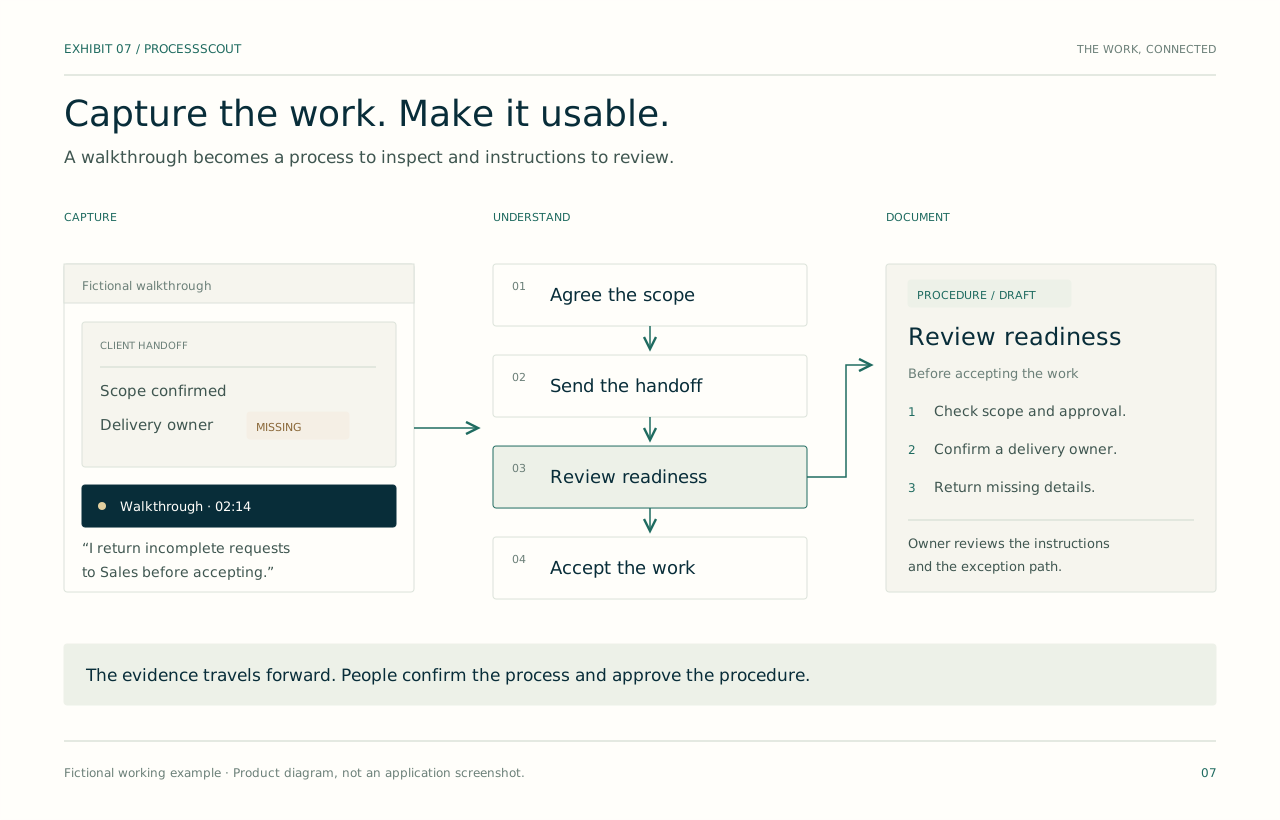
Write a step as a verb and object: “Check commercial approval,” not “Finance.” Attach the accountable role, the system used, the information required and the rule that determines the next action. Keep the diagram readable by putting detailed evidence and notes in the step inspector.
At each decision, state the condition that sends work down each branch. At each handoff, state what the receiving team needs to accept it. These are often the details that reveal an improvement opportunity: a repeated check, an ambiguous owner or a request that returns without a reason.
Validate the map before optimizing it.
Review the map with people on both sides of the important handoffs. Ask them to trace a normal case and an exception. Mark disputed steps and missing evidence as open questions. Agreement about the diagram’s appearance is less useful than agreement about its operating rules.
Once the current state is stable enough to use, create a distinct future-state proposal. Preserve the baseline so the team can explain what changes, who needs to learn something new and which measurement should move. Keep attractive automation ideas attached to a specific problem.

Fictional working example
The return path changes the diagnosis
A Northstar map initially shows Sales submitting a request and Delivery accepting it. Reviewing actual cases adds a readiness check and a return path for missing scope. The team discovers that Sales cannot see the acceptance checklist. The first proposal is a shared intake checklist with a named owner, followed by measurement of returns. Automation remains an option after the rule is agreed.
- Trigger
- Signed order received
- Decision
- Scope, approval and owner present?
- Exception
- Return to Sales with a named reason
Bring this to the review
A practical checklist.
- The start, finish and work item are defined.
- Each step has an action and accountable role.
- Waiting, active work and rework are distinguishable.
- Decisions and exception paths have explicit rules.
- Operators from both sides of a handoff reviewed the map.
In ProcessScout
ProcessScout connects process steps to sources, people and systems. Use the process map as a navigation surface into the detail, then carry the reviewed current state into options and design. The interactive demo contains a fictional handoff you can inspect step by step.